Code practice
Write and run JavaScript, TypeScript, HTML and CSS in a safe sandbox, and solve built-in exercises with automatic checking.
On this page
The Code section is a small practice editor. You can try out ideas in a scratchpad or work through built-in exercises that check your solution for you.
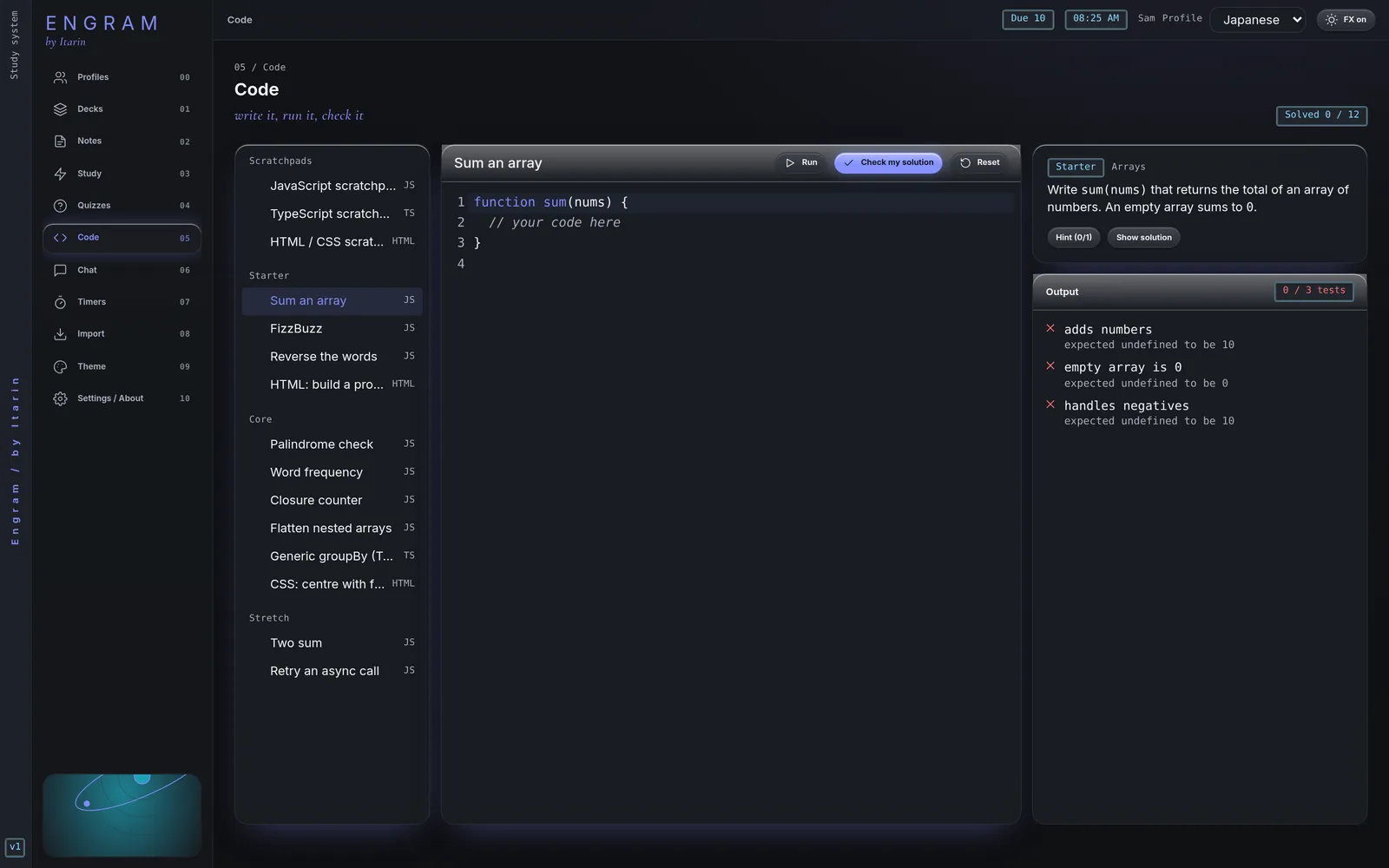
Scratchpads
Three scratchpads are at the top of the list:
- JavaScript scratchpad: press Run (or Ctrl + Enter, Cmd + Enter on a Mac). Anything you
console.logappears below the editor. - TypeScript scratchpad: types are removed and the code runs as JavaScript. There’s no type checking.
- HTML / CSS scratchpad: Run shows the page in a preview.
Exercises
There are 12 exercises, grouped by difficulty:
- Starter: Sum an array, FizzBuzz, Reverse the words, HTML: build a profile card
- Core: Palindrome check, Word frequency, Closure counter, Flatten nested arrays, Generic groupBy (TypeScript), CSS: centre with flexbox
- Stretch: Two sum, Retry an async call
For each one:
- Read the task on the right.
- Write your solution in the editor.
- Press Check my solution. Engram runs a set of tests and shows which pass.
- Stuck? Hint reveals hints one at a time. Show solution shows a reference answer, and you can load it into the editor.
Reset puts the starter code back. The counter at the top shows how many exercises you’ve solved.
Your progress is saved
Your code for each exercise and scratchpad is saved automatically in the current profile, so you can leave and come back later.
Safety
Code runs in a locked-down sandbox inside Engram. It can’t read your notes or files or reach the internet. If your code runs for too long (for example, an endless loop), Engram stops it after a few seconds and tells you.