Themes and appearance
Choose from seven theme packs, adjust colours and effects, or build your own theme with a built-in contrast checker.
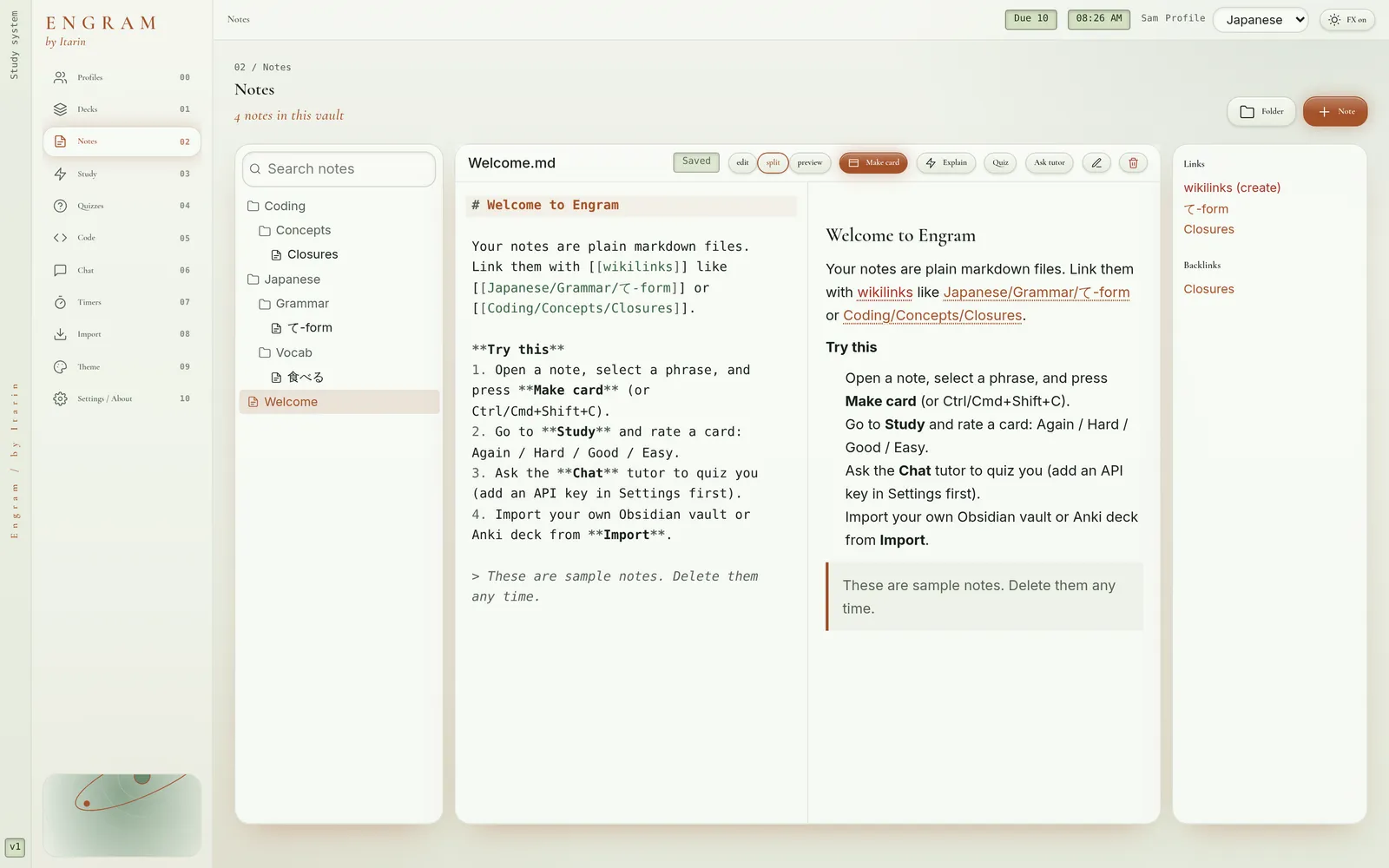
Engram can look clean and modern, or like a piece of early-2000s tech. Everything is in Theme, and each profile remembers its own look.
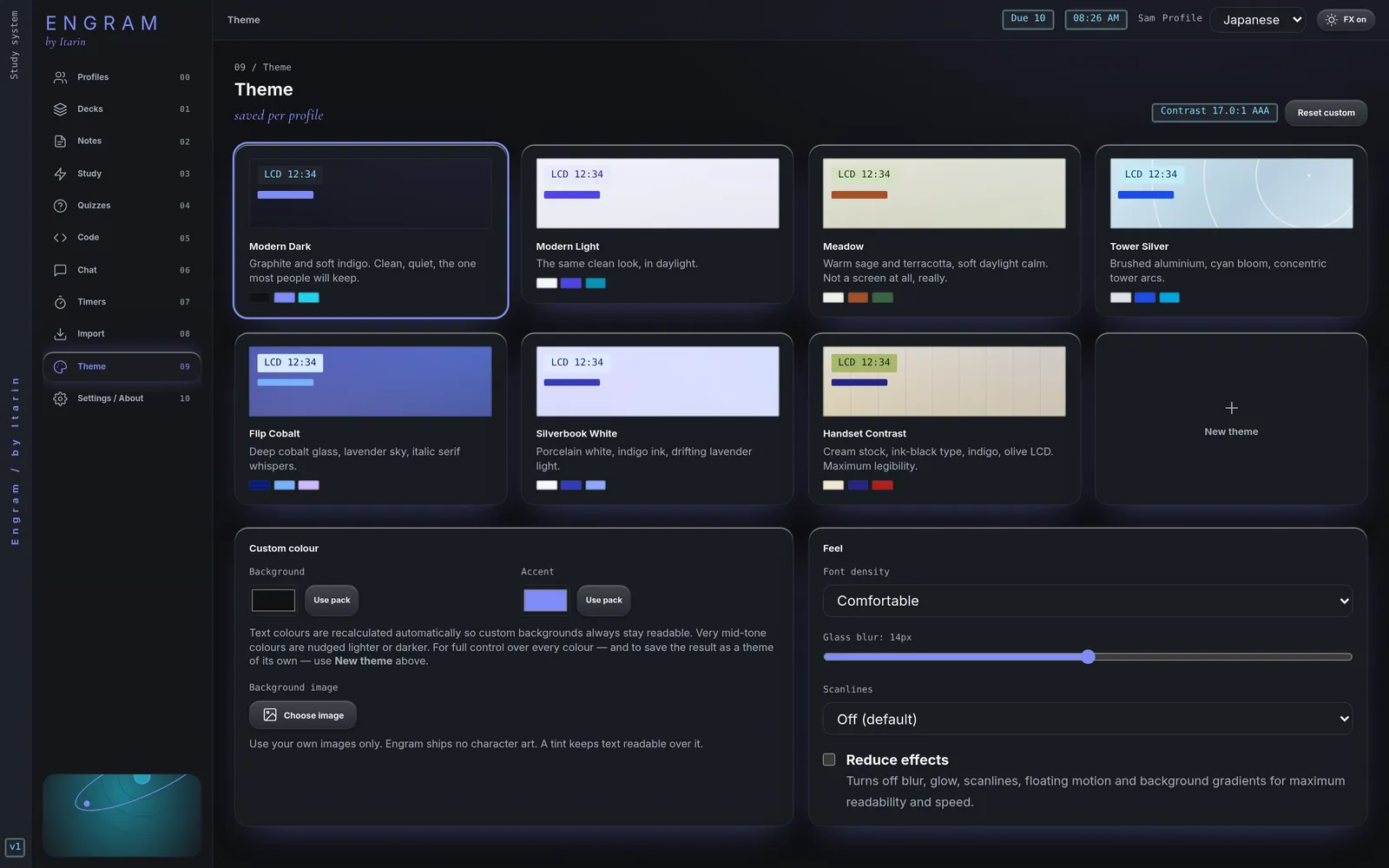
Theme packs
- Modern: Modern Dark (the default), Modern Light and Meadow. Plain, contemporary styling.
- Retro: Tower Silver, Flip Cobalt, Silverbook White and Handset Contrast. An original Y2K look, with different lettering, panel textures and corner details, not just different colours.
Click a pack to switch to it right away.
Adjust the current theme
- Custom colour: change the Background and Accent colours. Engram adjusts the text colours automatically so they stay readable, and shows the contrast ratio.
- Background image: use your own picture (up to 2 MB). Engram adds a tint over it so text stays readable.
- Font density: compact, comfortable or spacious.
- Glass blur: how frosted the panels look.
- Scanlines: an optional retro screen effect, off by default.
- Reduce effects: turns off blur, glow, scanlines, floating motion and background gradients. This is also in the top bar (FX on / FX off) and in Settings.
If your computer is set to reduce motion, Engram turns on Reduce effects for you when you first set it up.
Build your own theme
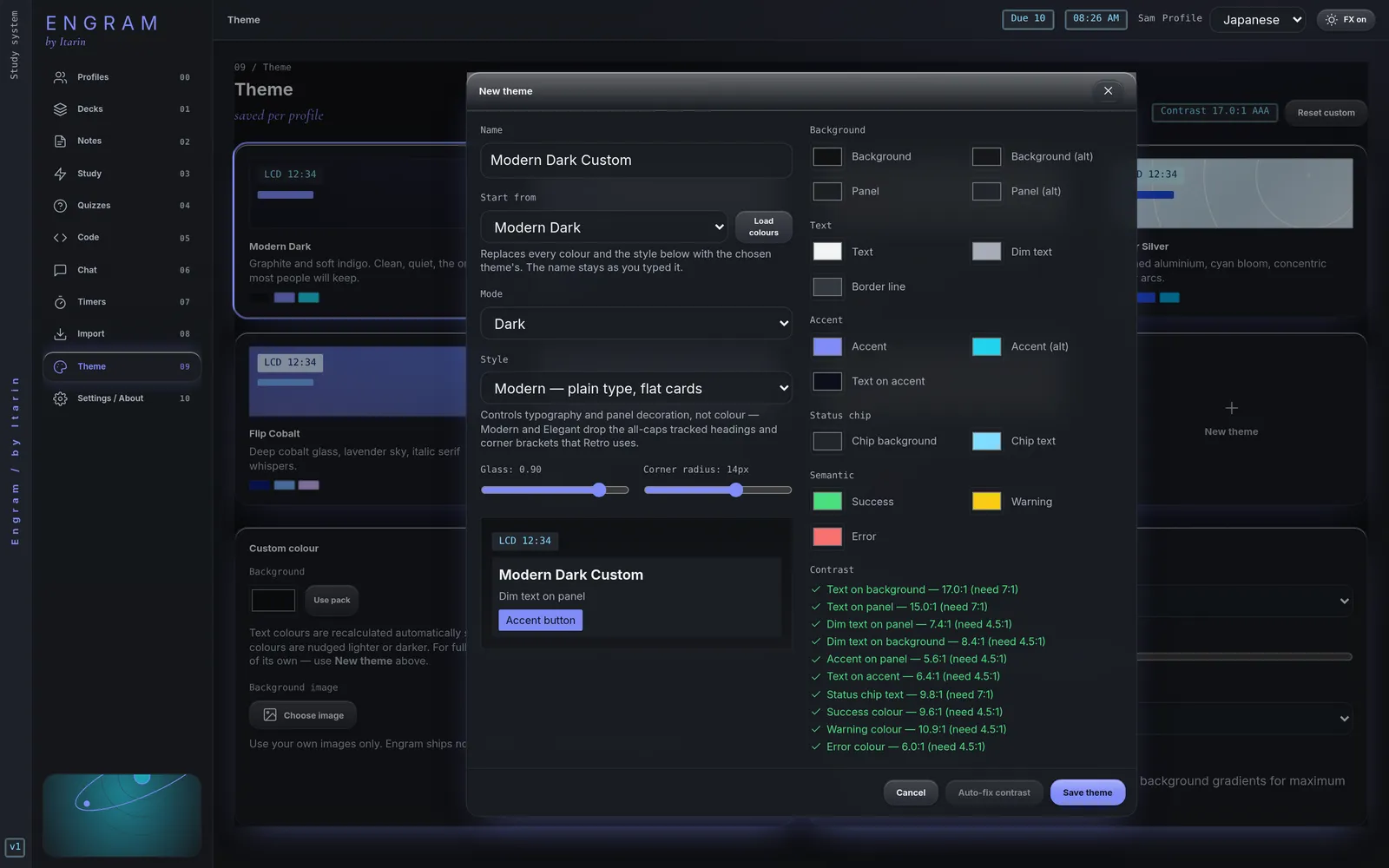
- Press New theme.
- Give it a name and pick a theme to Start from.
- Choose light or dark Mode, a Style (Modern, Elegant or Retro, which controls lettering and panel decoration) and set glass and corner radius.
- Change any colour.
- Watch the Contrast checklist. Every check has to pass before you can save. Auto-fix contrast adjusts any failing colour until it passes.
- Save. Your theme appears with the built-in packs.
You can edit or delete your own themes at any time. Custom themes belong to the profile you made them in.
Accessibility
Every built-in pack meets WCAG AA contrast, and custom themes are held to the same rules. Every control can be reached with the keyboard and shows a visible focus ring.