Quizzes
Generate multiple choice and short answer quizzes from your decks, notes or pasted text, and review your results.
On this page
Quizzes test you on material in a different way from flashcards. Engram builds them for you from a deck, a note, or text you paste in.
Make a quiz
- Open Quizzes. (Or press Quiz on a note or a deck.)
- Choose the source: deck, note, or Paste.
- Pick how many questions (5, 10, 15 or 20) and the type: Mixed, Multiple choice or Short answer.
- Pick a Generator:
- Built-in (offline, from your cards/notes) works with no internet and no AI. It finds facts in your material, such as card fronts and backs,
Term: definitionlines, bold terms and cloze cards, and turns them into questions. - Tutor model (needs API key) asks the AI provider you set up to write the questions. This is free in Engram (it doesn’t need the tutor subscription), but it does need a provider set up in Settings, Tutor & API key. See AI tutor.
- Built-in (offline, from your cards/notes) works with no internet and no AI. It finds facts in your material, such as card fronts and backs,
- Press Generate quiz.
The built-in generator needs enough material: at least 3 usable cards in a deck, or a note or text with at least 3 facts it can find. Pasted text needs at least a few sentences.
Taking a quiz
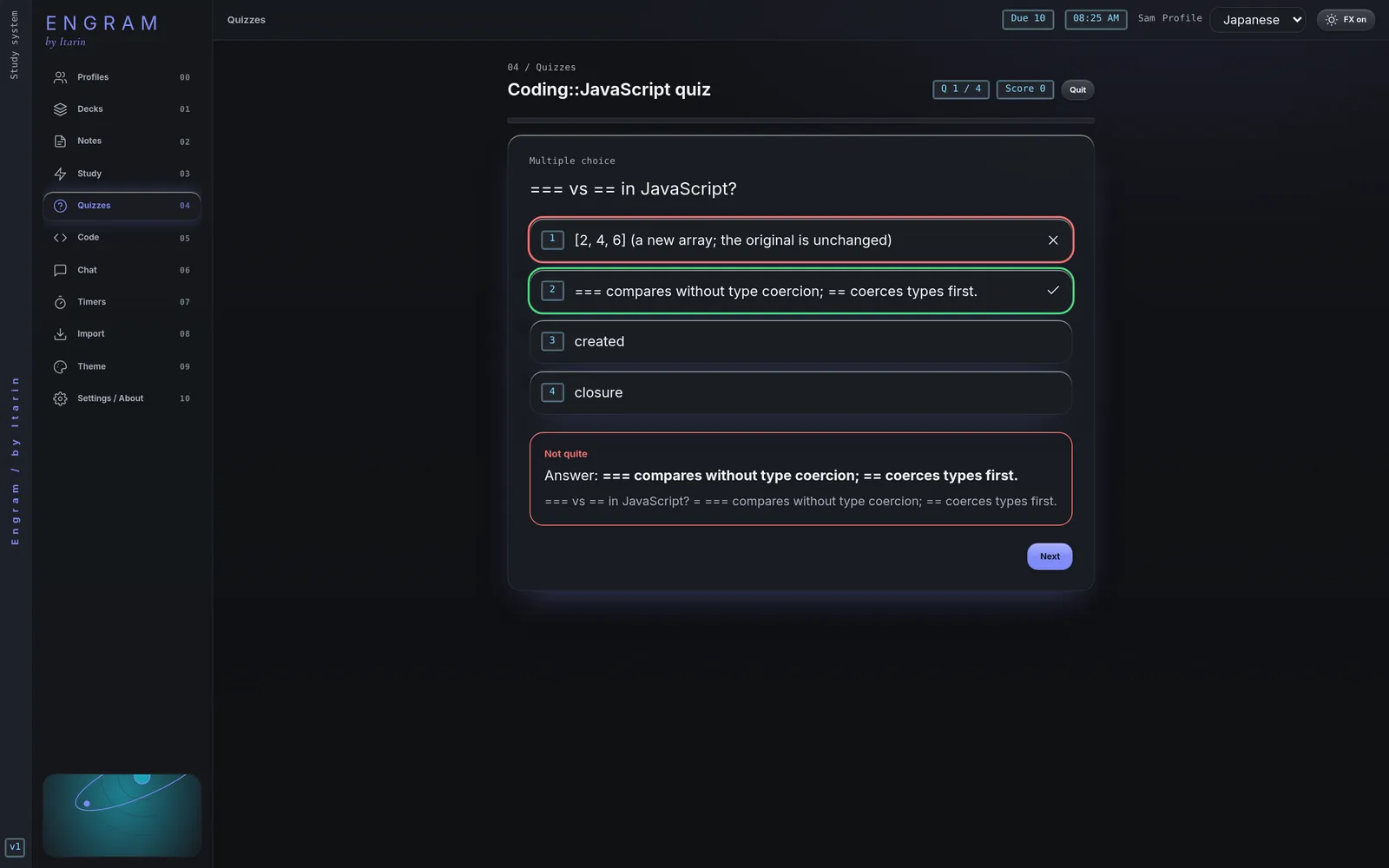
- Multiple choice: click an answer or press 1 to 6, then Check (or Enter).
- Short answer: type your answer and press Enter. Engram accepts small typos and answers that are close. If it marks you wrong but you were right, press I was right.
- After checking, Enter or Space moves to the next question.
- Quit leaves the quiz at any point.
Results
At the end you see your score and every question with your answer and the correct one. From here you can:
- Retake the same quiz.
- Press Card on a missed question to save it as a flashcard (tagged
quiz-miss). - Ask tutor about missed sends the questions you missed to the tutor chat (needs the tutor add-on).
Past quizzes are listed on the Quizzes page with your best score and number of attempts. Press Take to try one again, or the bin to delete it.